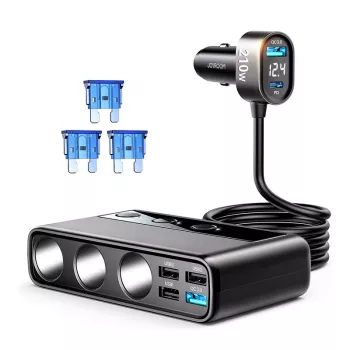
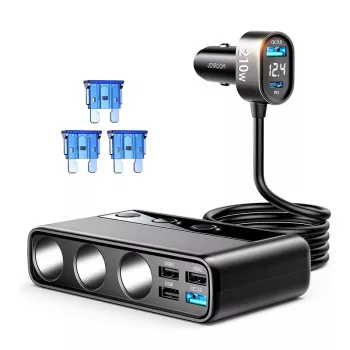
The best USB charging hub is the one that safely powers all your devices at the speeds they can actually use, without overheating, disconnecting, or wasting outlets. For most households and home offices, that means a hub with enough ports for daily gear (phone, earbuds, tablet, watch, power bank), strong total wattage, and smart power sharing so one fast-charging device doesn’t starve the rest.
Port mix: A modern hub should include USB-C ports (ideally with Power Delivery) plus a few USB-A ports for older cables. If you charge a laptop, prioritize at least one high-watt USB-C PD port.
Total output and per-port limits: Total wattage determines how many items can fast-charge at once. Per-port wattage determines whether a single device can hit top speed (for example, many phones want 20–30W; tablets often want more; laptops can require 45–100W+).
Safety features: Look for over-current, over-voltage, and temperature protection, plus certifications from recognized testing labs when available. Good ventilation and a sturdy power cord also matter for long sessions.
Real-world usability: Wide spacing between ports, a weighted base that won’t slide, and a compact shape for nightstands or desks can make a bigger difference than a long spec sheet.
For travel: Choose a compact multi-port USB-C charger/hub with folding prongs (if applicable) and enough wattage to cover your phone and tablet simultaneously.
For a shared family station: Go higher on port count and total wattage so everyone can plug in at once without slow charging.
For a laptop-centric desk: Pick a hub with at least one high-power USB-C PD port and additional ports for accessories, keeping cables tidy and charging predictable.
For deeper comparisons, port recommendations, and buying tips, see the full guide: What is the best USB charging hub?
For phones and small accessories, 40–60W total is usually comfortable. If you’ll charge tablets or multiple fast-charging devices at the same time, 80–120W+ helps prevent slowdowns. For laptop charging, make sure at least one USB-C PD port matches your laptop’s wattage needs (often 45–100W).





Leave a comment